
A cookie measures ad performance. The page works the same either way.
1
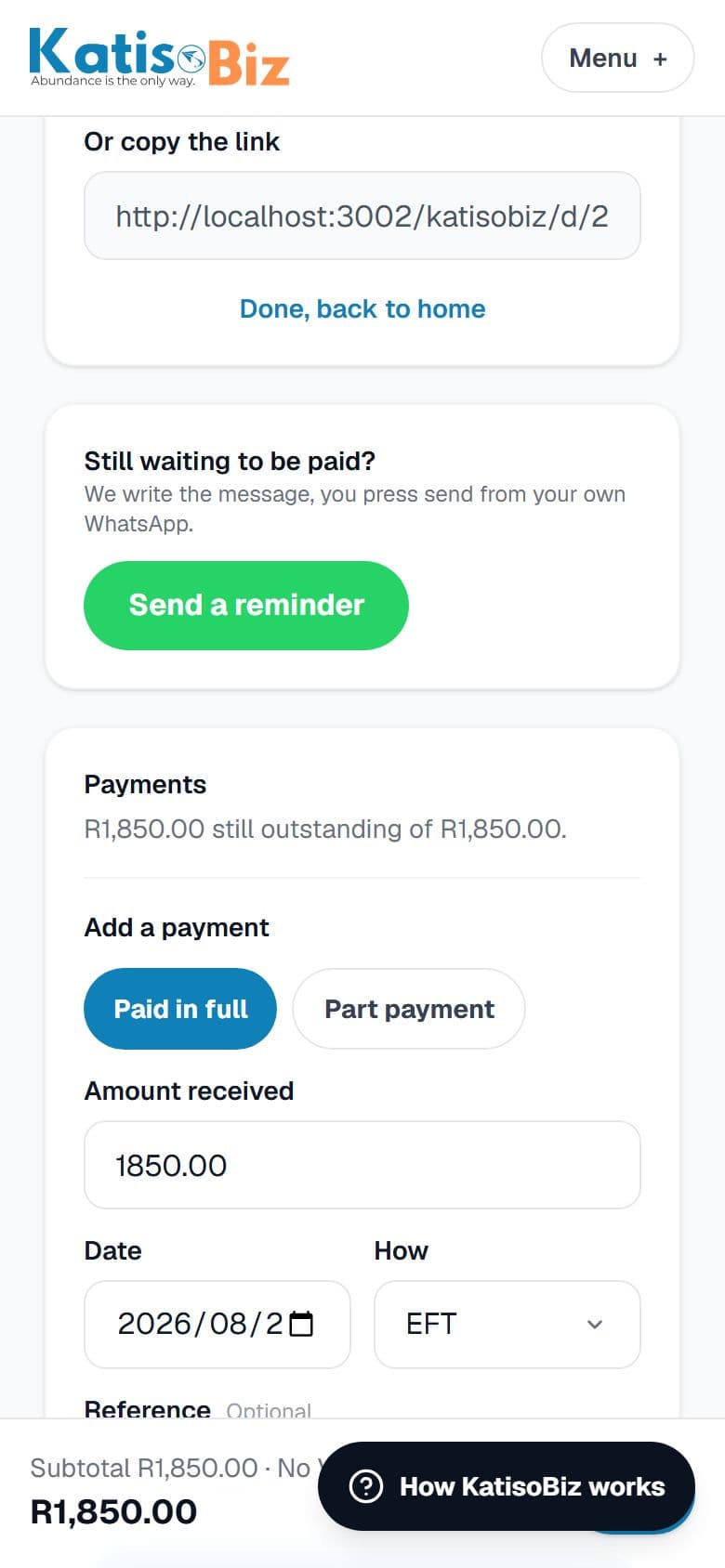
Open the invoice and scroll to Payments. It shows what is still outstanding.
2
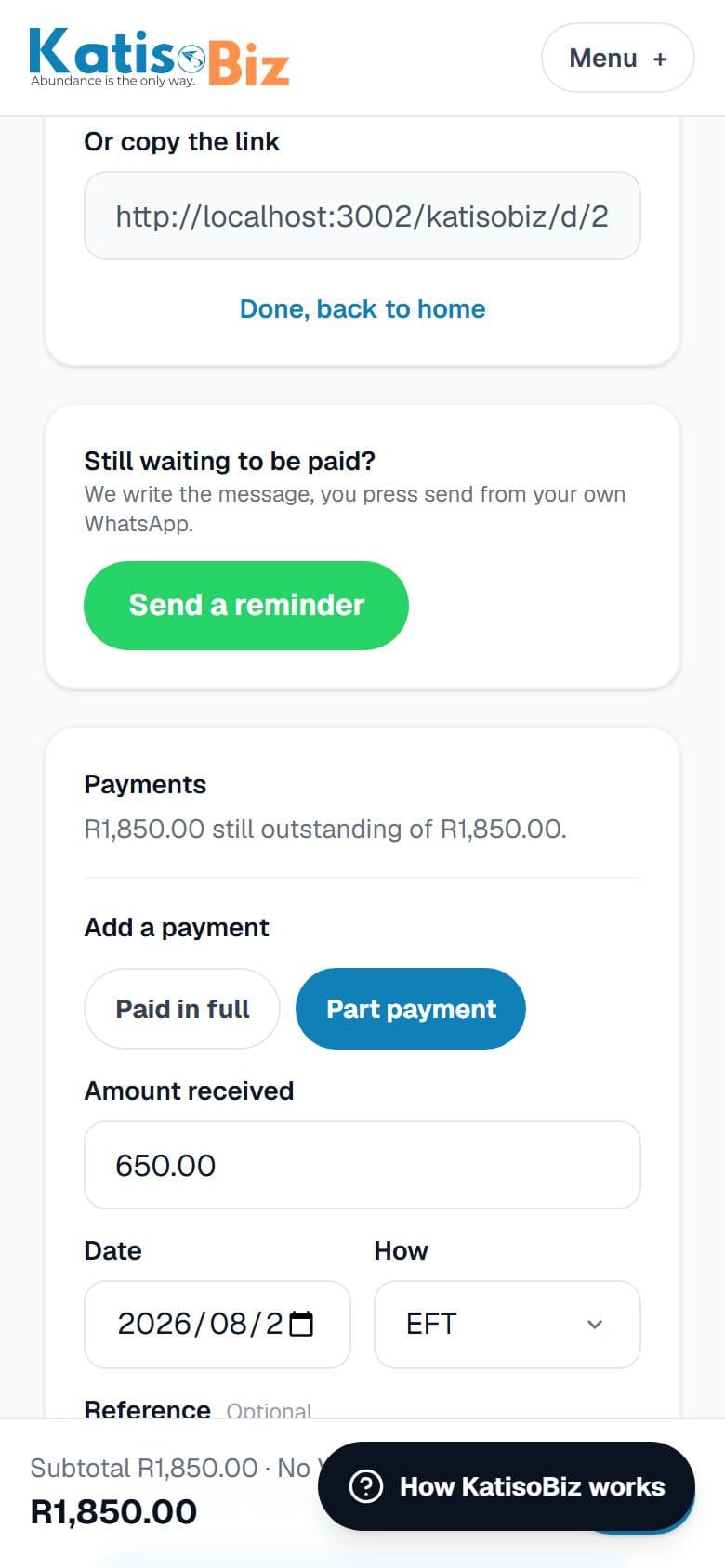
Choose Paid in full or Part payment, then the amount, the date, and how it was paid.
3
Press Record payment. The invoice now shows what has been received and what is still owed, and you can record another payment the same way.
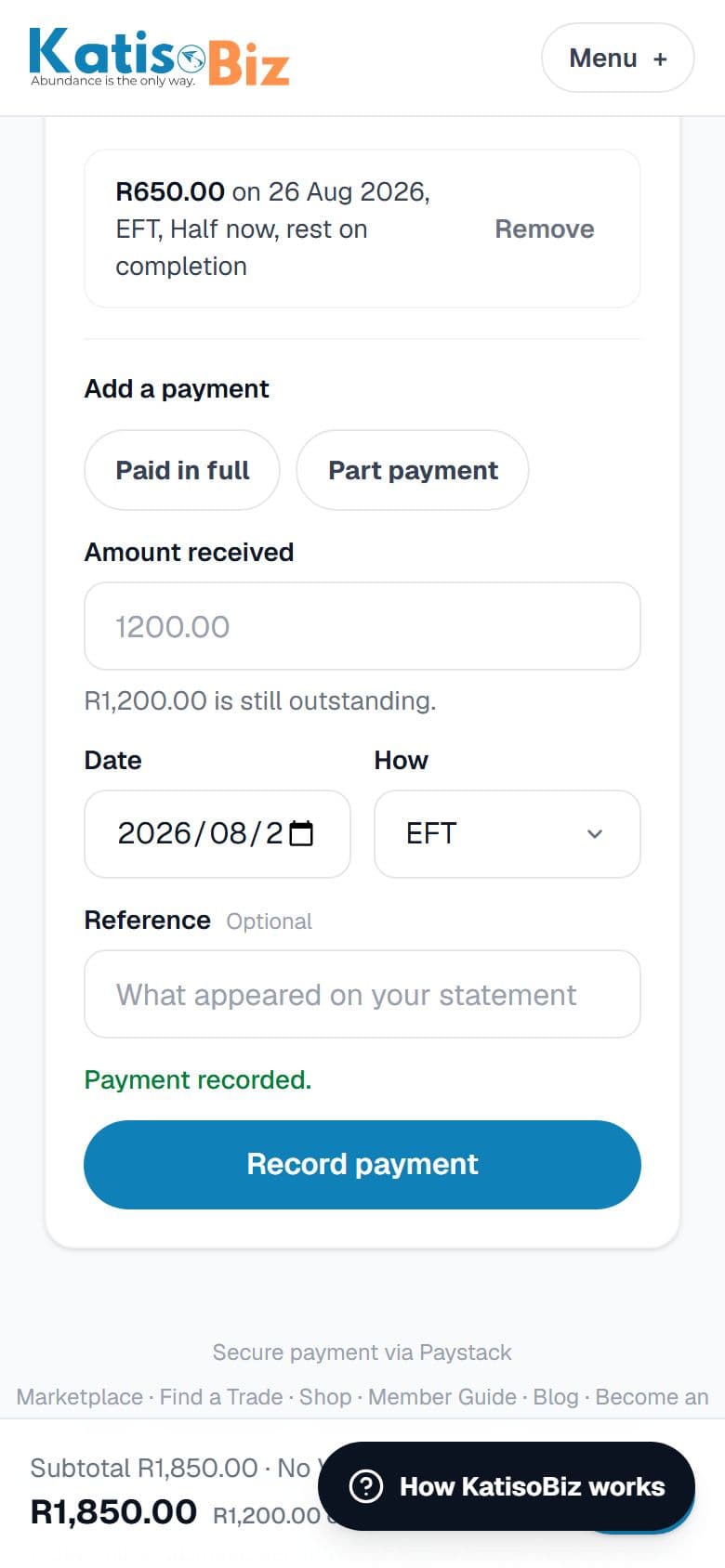
A deposit taken before the invoice even existed, or money that lands weeks later, both go in the same way.